From input to output
Rendering process
Rentile separates style preparation, resource acquisition, and drawing. This walkthrough follows one nine-tile XYZ batch through those boundaries and shows the PNG files returned at the end.
Step 1
Create the renderer
The host supplies a ResourceTransport for network exchanges and a
RawResourceStore for validated source bytes. Rentile owns the rendering
workers and native drawing resources behind one BasemapRasterizer.
val rasterizer = Rentile.create(
    RentileConfiguration(
        transport = AppResourceTransport(httpClient),
        rawResourceStore = AppRawResourceStore(cacheDirectory),
    )
)
AppResourceTransport and AppRawResourceStore represent adapters
implemented by the host application.
Step 2
Prepare the map style once
prepare acquires the style through the configured transport, validates it
against the compatibility policy, and compiles a reusable PreparedStyle.
Invalid or unsupported retained constructs fail here instead of producing an incomplete map.
val style: PreparedStyle = rasterizer.prepare(
    StyleInput.Remote("https://example.com/style.json")
)
Step 3
Describe the required XYZ tiles
This example requests a contiguous 3×3 region at zoom 12. Each TileId is one
north-up XYZ output tile; the list order does not change its geographic identity.
12/1204/1539
12/1205/1539
12/1206/1539
12/1204/1540
12/1205/1540
12/1206/1540
12/1204/1541
12/1205/1541
12/1206/1541
val requestedTiles = buildList {
    for (y in 1539..1541) {
        for (x in 1204..1206) {
            add(TileId(z = 12, x = x, y = y))
        }
    }
}
Step 4
Prepare a network-free render batch
prepareBatch plans the requested outputs, acquires and validates their raw
resources, and freezes the complete drawing input. When it returns, each tile has a stable
content key and render no longer needs the transport or raw-resource store.
rasterizer.prepareBatch(
    style = style,
    tiles = requestedTiles,
    options = RenderOptions(outputSizePx = 512),
).use { batch ->
    batch.contentKeys.forEach { (tileId, contentKey) ->
        println("$tileId will render as $contentKey")
    }

    // Drawing happens inside this prepared boundary.
}
The prepared batch is an AutoCloseable resource owner. Keep it open while
rendering and close it with use when the batch is no longer needed.
outputSizePx accepts 256, 512, 1024, and 2048, and it is a device pixel ratio
rather than a zoom shift. The style is evaluated at the tile's own zoom whatever the size,
and outputSizePx / 512 scales every pixel-valued style property, so one
coordinate yields the same features, the same labels, and the same relative ink at every
size — sharper, never denser. Asking for 2048 lets a high-density consumer cover a
view with a sixteenth of the tiles at unchanged sharpness, at the cost of roughly six
times the per-tile draw and encode and a 16 MiB surface. Label geometry is in style
pixels at ratio one, so apply the same ratio to it when compositing labels over a tile
rendered above 512.
Step 5
Draw and save the individual PNG tiles
render draws the prepared tiles on the CPU and encodes each successful output
as PNG. The operation is all-or-error: a successful RenderBatch contains every
requested result, including its TileId, pngBytes, content key, and
sanitized diagnostics.
try {
    val style = rasterizer.prepare(
        StyleInput.Remote(styleUrl)
    )

    rasterizer.prepareBatch(
        style = style,
        tiles = requestedTiles,
        options = RenderOptions(outputSizePx = 512),
    ).use { batch ->
        val result: RenderBatch = rasterizer.render(batch)

        result.tiles.forEach { tile ->
            savePng(
                name = "${tile.id.z}-${tile.id.x}-${tile.id.y}.png",
                bytes = tile.pngBytes,
            )
        }
    }
} finally {
    rasterizer.close()
    rasterizer.awaitClosed()
}
The same center tile with different styles
Style preparation changes the drawing program; the requested XYZ coordinate and PNG output contract remain the same.
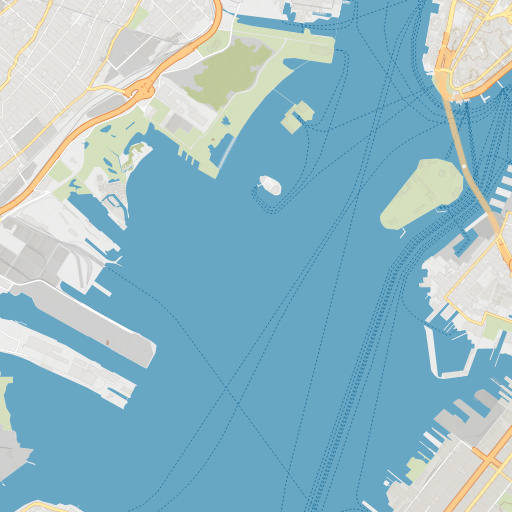
Topographic vector
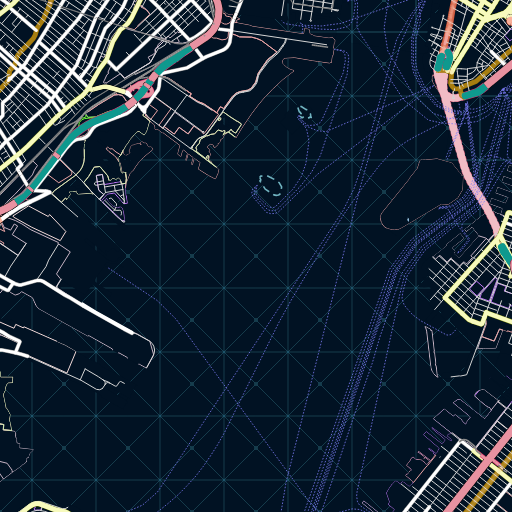
Dark vector
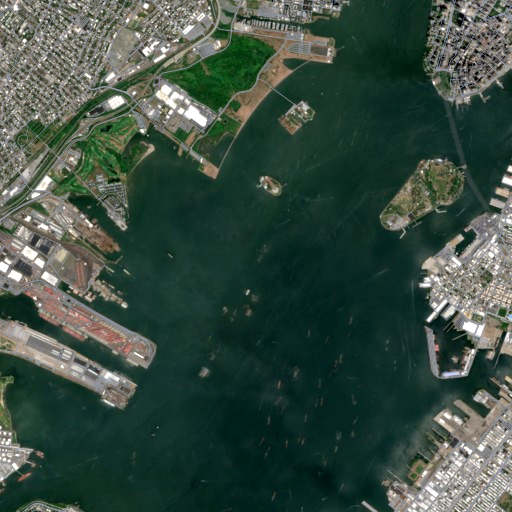
Satellite raster
Output placement
Place PNGs by their tile coordinates
Rentile returns nine independent 512×512 PNGs for this request. The caller places them in XYZ order to form the 1536×1536 image below. The grid overlay identifies the original tile boundaries; mosaic composition itself is outside the Rentile API.
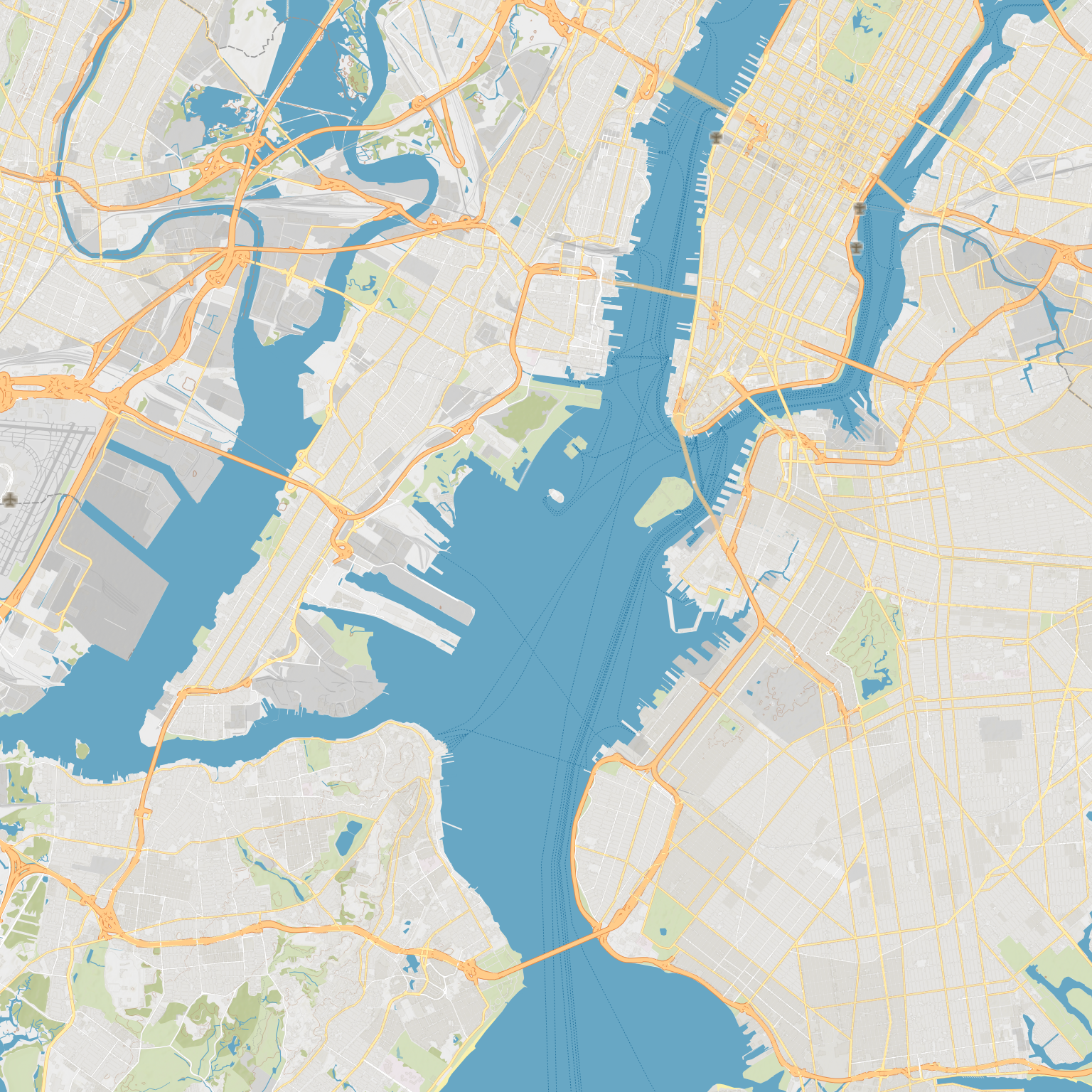
TileId for placement and the returned
contentKey for caller-owned output caching. Do not infer placement from the
order in which asynchronous work completed.